
Hi, friends! Welcome to Installer No. 116, your guide to the best and Verge-iest stuff in the world. (If you’re new here, welcome, happy National Ferris Wheel Day to all those who celebrate, and also you can read all the old editions at the Installer homepage.)
This week, I’ve been reading about Letterboxd and Mike Vrabel and AI influencers and daytime talk show economics, taking copious notes on Ezra Klein’s terrific podcast on the state of the internet, buying just about every lamp in this excellent office tour, making Dot my main Mac calendar app, telling everyone I know how good Steal is, re-reading Tim Wu’s excellent book The Master Switch ahead of some Version History recordings, and eating a frankly inappropriate amount of Siete tortilla chips.
I also have for you a fun new Switch game, a wild new movie to see this weekend, the best new earbuds on the market, a new AI model to watch, and much more.
Oh, and! Somewhat miraculously, we have a few copies of our incredible zine, Content Goblins, still available for sale. If you buy one, and use the code 30OFFZINEINSTAL at checkout, you’ll get 30 percent off. I don’t think there are many left, get yours while you can!
Las thing, quick programming note: Installer is off next week. Taking a break while we get some other stuff ready. But we got a big one this week to make up for it! Let’s go.
(As always, the best part of Installer is your ideas and tips. What are you watching / reading / playing / listening to / downloading onto a thumb drive this week? Tell me everything: installer@theverge.com. And if you know someone else who might enjoy Installer, forward it to them and tell them to subscribe here.)
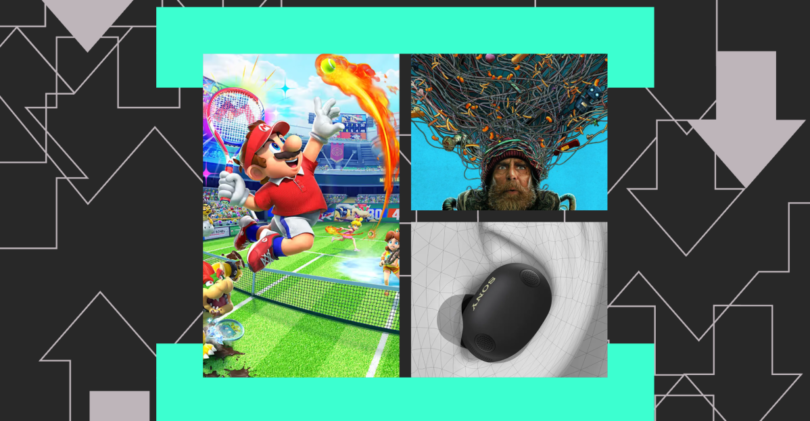
- Mario Tennis Fever. The N64 version of Mario Tennis is probably my favorite video game of all time — Luigi, left-handed, I was unbeatable — and no tennis game has ever quite lived up to it. There’s a little too much going on in this game for my taste, but the tennis is great, and I will surely play hundreds of hours of it.
- Good Luck, Have Fun, Don’t Die. I wasn’t sure about the trailer for this one, but by all accounts this is a wacky, weird, perfectly timed movie about time travel and saving humanity. The premise reminds me a little of Safety Not Guaranteed, an extremely underrated movie.
- “Wes Cook and The McDonald’s Mural.” Remember that amazing Cabel Sasser XOXO talk from a couple of years ago? Well, Sasser has finally written out the whole story of saving the mural, and shared some truly incredible photos of the process. But really, this is just your sign to go watch the talk again. It’s still great.
- The Sony WF-1000XM6. The “best earbuds” competition pretty much comes down to Sony vs. Apple, and while I much prefer the look of these to any AirPod, it’s a bummer to hear it can be hard to find the right fit with them. If I can get these to stay in my ear, I may be $330 poorer here in a few days.
- The Interface. Fun, informative, thoughtful new podcast from the BBC, hosted by three tech journalists I admire. I don’t know if it’ll always be this mix of news and history, or if Karen Hao will keep being so hilariously mean to her cohosts, but I dig it all so far.
- Fitbit’s personal health coach. Like my colleague Vee Song, I kind of hate AI coaches. But also like Vee, I think Fitbit is up to something interesting here — rather than an annoying cheerleader, Fitbit is trying to build a more interactive, more understandable set of wellness tools, and that I can get behind. Plus, the new app just looks really nice.
- Seedance 2.0. It is my general belief that generative AI tools are a bad thing. But if you like these creative tools, this new model from ByteDance — which you can prompt with a combination of text, images, audio, and video — appears to be kind of blowing people’s minds.
- YouTube for Vision Pro. Are there any Vision Pro users out there? Maybe? I don’t know. But if you do still use your headset, a native YouTube app is actually a big deal. I’m curious to see if this helps get more people making immersive content again.
Over the years, lots of people have tried to chart an online life without Big Tech companies. Reasons abound, from advertising ickiness to data privacy to the overall feeling that these companies don’t support your values, but my impression was always that the project is hard, and that getting away from Google and Apple and Microsoft and the rest is probably too much work for most people.
I’m not sure that’s true anymore. Whether you’re looking for an email service, an office suite, even a smartphone or a laptop, you have more and broader options than ever before. Which is good, because the number of people asking me for tips on how to embrace these new things has gone way up over the last few months. Again, reasons abound. So I asked you all to share your favorite non-Big Tech tech, and as always, you delivered.
First up, there’s kind of a big four:
- Proton. Almost everybody who told me they’re ditching Google told me they’re moving to Proton. And with good reason! Proton does email, calendar, docs, file storage, and more, and does it all really well. This is the first place I’d tell almost anyone to start.
- Signal. The messaging app of choice, by a mile. Like Proton, it is an incredibly privacy-focused tool that is still easy and nice to use. I have nothing but good feelings about Signal.
- Nextcloud. This one I did not expect! It’s another suite of services, with a lot of impressive features, but in addition to everything else it is open-source and can even be self-hosted. There is definitely a version of the non-Big Tech journey that ends in hosting a lot of your own software, and I think this is a big part of the equation.
- Home Assistant. For the smart home crowd, there is really only one choice.
Beyond that, there was a bunch of other software:
- Lots of folks are replacing Google Search with either Kagi or Ecosia. As for browsers, it was pretty much all Firefox.
- Linux Mint came up a bunch as a user-friendly way out of the Big Tech operating systems. It’s harder to get away from Android and iOS, but GrapheneOS is a popular alternative for mobile.
- Jellyfin appears to be the media platform of choice. Some Plex love, too, but mostly Jellyfin.
- Obsidian, one of my favorite note-taking apps, is a favorite as well. Since it’s built on text files, it is futureproof, unlike virtually any other software you’ll find.
- Oh boy do you all love Garmin smartwatches! I’m still a little skeptical that they work for anyone other than hardcore fitness folks, but you all love them as Apple and Pixel Watch alternatives.
- The Sunbeam F1 flip phones, which actually look like they offer a pretty clever set of features, have some very devoted smartphone-ditching fans out there.
- Couple of votes for the Playdate, too, as a less intense way to game.
- I got lots of E Ink device recommendations. Boox gear came up a lot. The Xteink X4, the little e-reader that sticks to the back of your phone, seems to have captured some hearts out there. A bunch of you also endorsed ditching Kindle for Kobo, but I think that only half counts, given that Kobo is also owned by a large tech company? Oh, and this is software, but The StoryGraph appears to be everyone’s new favorite reading platform.
If I were starting this journey today, I think I’d start with Proton and Home Assistant. Getting your email, your calendar, and your files into a safer place, and turning your smart home into something only you control, is a nice way to kick off a different relationship with tech. But give me six months, and who knows? Maybe I’ll be self-hosting my entire computing life in my basement. Installer Web Services has a nice ring to it.
I am not the expert on ditching Big Tech in your life, though. You should instead listen to Paris Marx, who has been on this journey for many years. Paris is an author and podcaster and vocal tech critic whose work has opened my eyes in a number of ways to how things really work.
Last year, Paris wrote a great guide to dropping US tech services with a bunch of really useful recommendations for where to go instead. It made me curious how he’s actually doing this in his own life, so I asked him to share his current setup. Here’s his homescreen, plus some info on the apps he uses and why:
The phone: Just a regular iPhone 15, though I keep eyeing a refurbished 13 mini. Bring back small phones!
The wallpaper: I like seeing where I am on the globe, so it’s just a built-in Apple one. Not sure if it has a specific name.
The apps: Vivaldi, Inoreader, Apple Notes, Deezer, Bluesky, Proton Mail, Messages, Phone, Signal.
I’ve deleted a bunch of apps over the past few months and prefer to keep my homescreen pretty basic to try to reduce distraction. On top of some standard Apple apps, Signal, and Bluesky, I have Norwegian web browser Vivaldi, Bulgarian feed reader Inoreader, French streaming service Deezer, and Proton Mail from Switzerland. Notes should be gone soon too, in favor of Obsidian, which is based in Canada. (Some are on Downtime because the screenshot was taken after 7PM).
I also asked Paris to share a few things he’s into right now. Here’s what he sent back:
- A More Civilized Age. I’m not really into Star Wars since the Disney takeover (Andor excepted), but the hosts of this podcast played through Knights of the Old Republic 2 last year and I’ve been slowly following along (and wanting to replay myself!).
- Magazines. I swapped back to print books from ebooks a few years ago, and more recently I’ve been getting back into magazines again, where there’s a thriving independent community. Some cool new/returning tech ones are Empty Set and In Formation.
- The X-Files. For the past year I’ve been slowly making my way through the original series for the first time. I find it fascinating, and can’t help but wonder how many people went off the conspiratorial deep end from watching it.
- EDCs on r/dumbphones. I’m fascinated by the devices (mostly) young people are replacing their smartphones with, and end up checking r/dumbphones every now and then to see what people are rocking as part of their EDC — everyday carry.
Here’s what the Installer community is into this week. I want to know what you’re into right now as well! Email installer@theverge.com or message me on Signal — @davidpierce.11 — with your recommendations for anything and everything, and we’ll feature some of our favorites here every week. For even more great recommendations, check out the replies to this post on Threads and this post on Bluesky.
“I’ve been rebuilding my personal music collection. I buy most of my albums from Bandcamp so I can download the FLAC version to load on my modified iPod Classic 7th gen. For things I can’t find there, if it’s on YouTube, I use a Python utility called yt-dlp which allows me to download single videos or entire playlists. The downloads are usually in WebM or MKV format, so I have to use FFMpeg to convert them to MP3s, followed by MusicBrainz Picard to apply the correct metadata. It’s somewhat of a chore, but honestly it’s a lot of fun!” — Nick
“Loving my new Anbernic RG34XXSP! It’s perfect for playing GBA games because of the clamshell design and 3:2 aspect ratio screen. MinUI (OS) also makes it a very focused experience. Currently playing through The Legend of Zelda: The Minish Cap for the first time.” — Parker
“Currently very into these two Bluesky accounts. They both bring me so much joy: I Photoshop Paddington into a movie, TV show, or pop culture until I forget, and Inserting a Muppet into a Star Trek screenshot.” — BaltMatrix
“I’ve been using my Maxell Japanese cassette player more and more. I found a shop in Roma Norte where it feels like a super cool hunting trip, digging for music I like on cassette. I also figured out how to connect it via Bluetooth to my Echos around the apartment, which makes listening to music a completely different experience.” — Josue
“Watching the new season of Jujutsu Kaisen and it’s a masterpiece so far! Every episode is an art piece. Same thing with Frieren.” — Kolin
“I’m in Michigan and this winter has been long and cold. Stardew Valley had been a remedy until I got to winter there as well. The relief I felt when it became spring last night was palpable. Now waiting for the real thing.” — Ian
“I’ve been totally into AI dictation tools like Wispr Flow, Willow, and Raycast. I’m so much faster speaking than typing. They work seamlessly on Mac but have some friction on iOS due to permissions. Makes me think this will be baked into future versions of Mac/iOS natively.” — Irfan
“NewsMap has been helping me get a bird’s eye view of current events. It’s a ‘squarified tree map visualization of Google News.’ Runs as a web app and is customizable. Quick, easy color coded news in a handy grid format.” — Seth
“I was sitting waiting to see The 25th Annual Putnam Spelling Bee in NYC, and a few rows in front of me a girl was scrolling what looked like a TikTok feed, but was filled with little mini-app toys that seemed impossibly varied and unending. A quick Google turned it up: a new app called Gizmo. This thing is super early but it’s one of those AI implementations that instantly sent my head spinning.” — Alex
Last week was the Super Bowl, which you probably already knew. The Super Bowl is definitely the Super Bowl of football, but it’s also the Super Bowl for cool videos about how football works. So in the span of a few days, we were treated to an inside look at how a stadium handles two huge events in a row, a deep look at the NFL’s obsession with growing its international audience, an hourlong podcast about the pregame flyover, a great vlog about life as a sports photographer, and so much more. Also, semi-related, a very cool video about the unbelievable speed of instant replay systems.
It was a crappy game this year, but boy was it good content. And at least the Patriots lost.
Source link